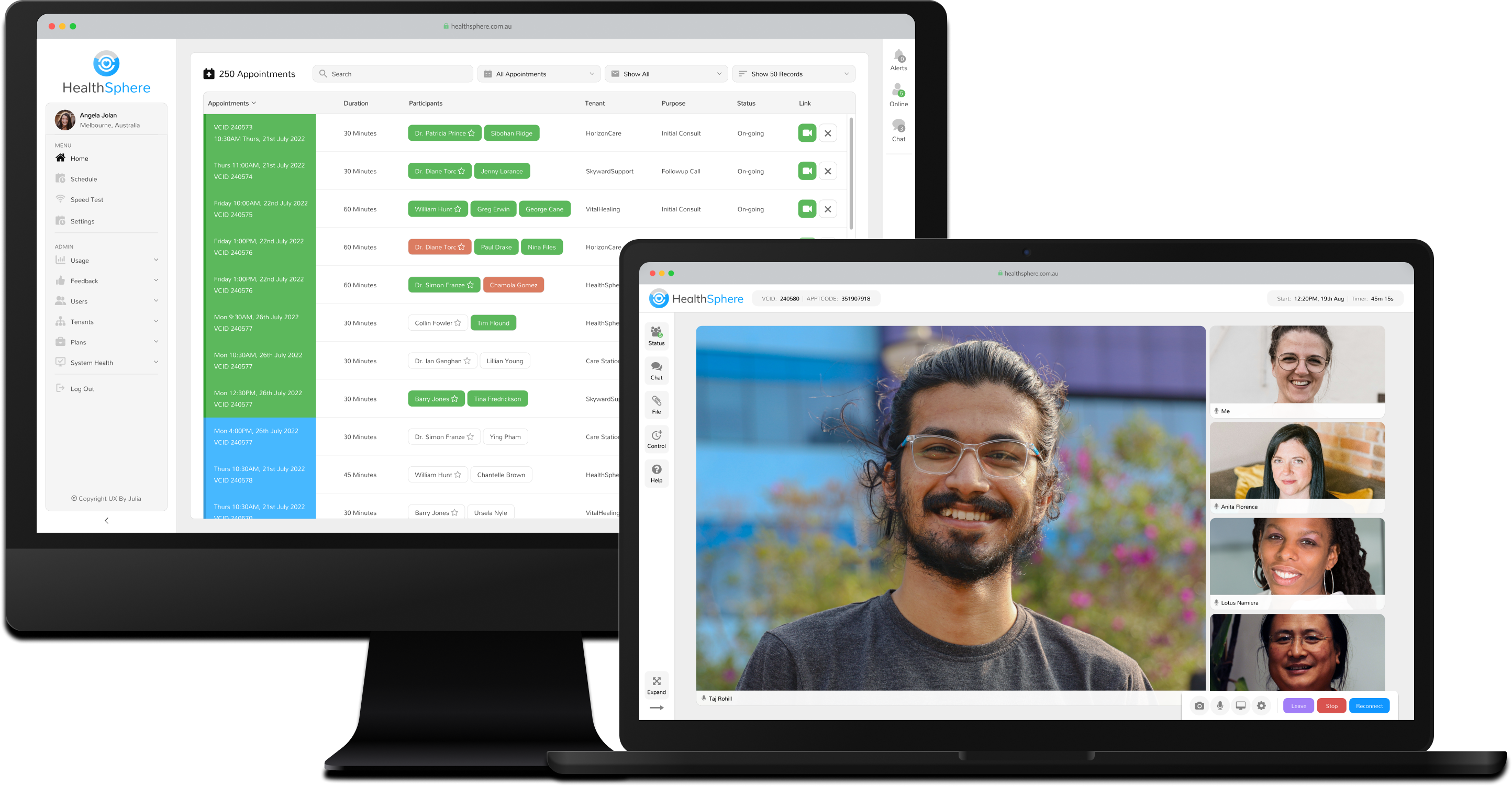
HS Web App Screen

HealthSphere

A customizable SaaS platform enabling telehealth appointments for patients, specialists, and healthcare organizations across Australia.

Web Application  |  Product Lifecycle Design

 Read Case Study

Project Introduction

HealthSphere was a SaaS telehealth platform designed to connect remote patients with specialists in city centres, addressing critical barriers to healthcare access such as distance, cost, and availability. Initially created to support a variety of healthcare use cases, the platform enabled services ranging from cardiology and endocrinology consultations to psychological appointments.

As the sole designer, I played a pivotal role in HealthSphere's growth and evolution over six years. My work involved designing new features, refining workflows, and collaborating closely with developers and stakeholders to ensure the platform's scalability and usability. Through continuous iteration, HealthSphere expanded to support a wide variety of healthcare organisations and bespoke workflows. Over time, it became a flexible and indispensable tool, improving access to specialist care in remote areas, fostering collaborative care between general practitioners and specialists, and streamlining administrative operations for healthcare providers.

Project Details

The Problem

Accessing specialist healthcare in rural and remote areas of Australia can be a significant challenge, often requiring patients to travel vast distances by car or plane to attend appointments. These logistical barriers delay access to care, leading to poor health outcomes, such as untreated chronic conditions and missed opportunities for early intervention.

An Australian healthcare organisation identified that bespoke telehealth software could address these issues by connecting remote patients with specialists through high-quality video conferencing optimized for poor internet connections.

The Solution

The Australian healthcare organisation partnered with our software company to design and roll out a telehealth solution that could overcome the challenges of providing specialist care to patients in rural and remote areas.

Over the course of 6 - 7 years, we collaborated closely with stakeholders through iterative design and development cycles to create a robust system that seamlessly connected patients, specialists, and support teams. The platform's adaptability allowed it to support complex workflows with real-time monitoring, bespoke reporting, and user-friendly tools. HealthSphere streamlined operations for concierge teams while improving patient access to care, enabling many organisations to deliver personalised telehealth solutions that evolved alongside their needs over the years.
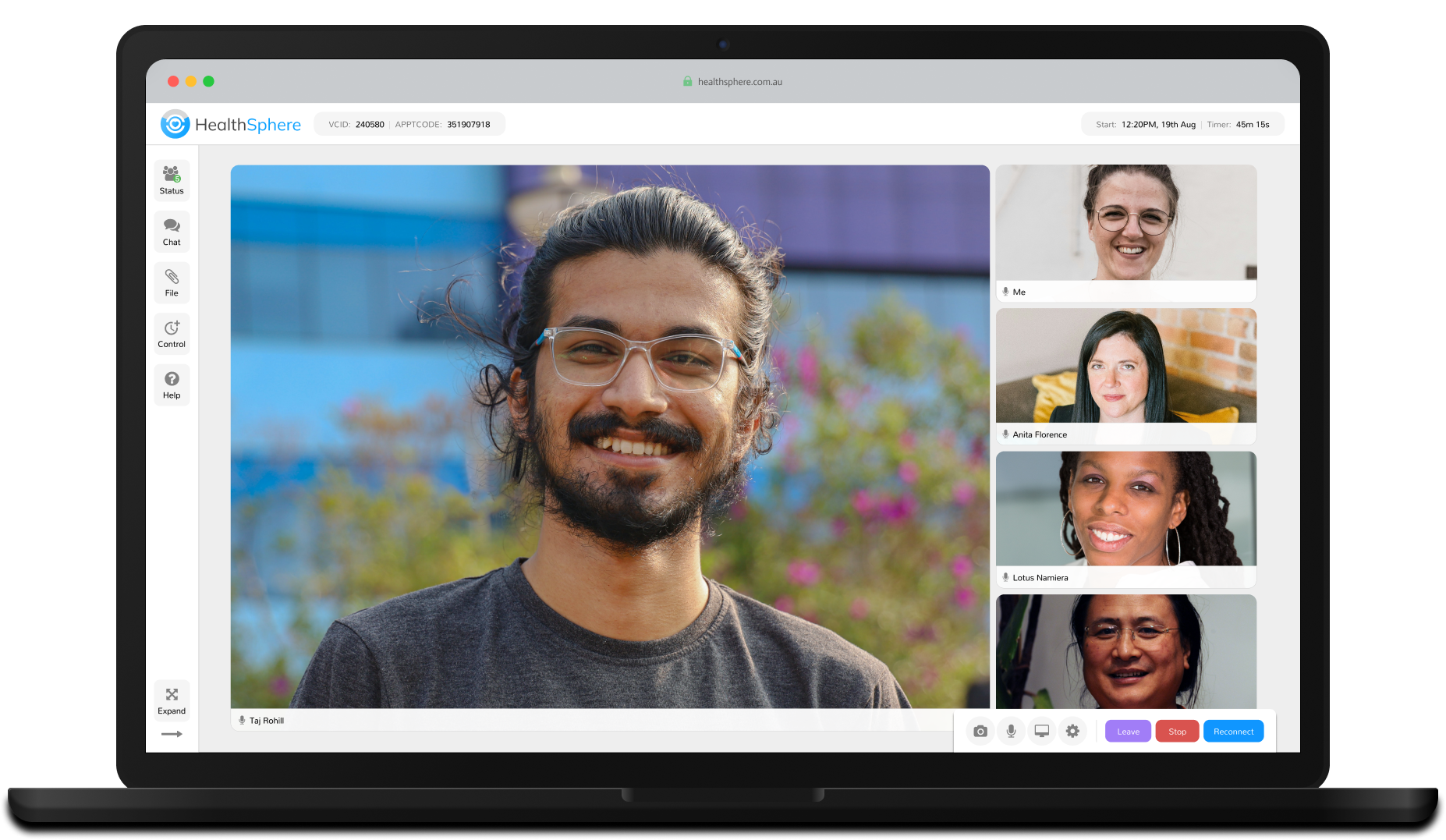
Finished Product

Patients & Specialist Key Features

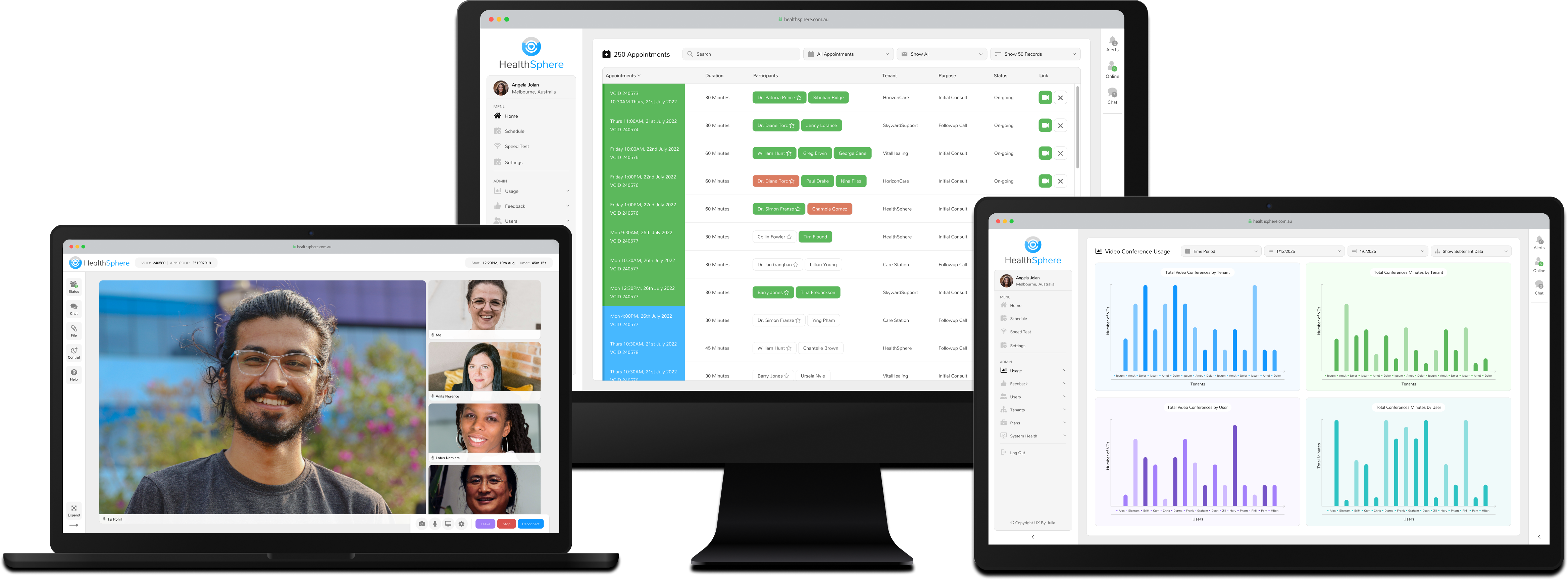
Seamless Video Conferencing

The video conferencing platform provided a reliable and user-friendly environment for appointments between patients and specialists. Features like participant statuses allowed users to see whether participants were online, in the waiting room, or actively in the conference. Integrated in-conference chat enabled private and group communication, while file-sharing capabilities streamlined the exchange of critical documents. These tools ensured efficient, professional interactions tailored to the unique needs of healthcare appointments.

Seamless Video Conferencing

The video conferencing platform provided a reliable and user-friendly environment for appointments between patients and specialists. Features like participant statuses allowed users to see whether participants were online, in the waiting room, or actively in the conference. Integrated in-conference chat enabled private and group communication, while file-sharing capabilities streamlined the exchange of critical documents. These tools ensured efficient, professional interactions tailored to the unique needs of healthcare appointments.

Onboarding & Preparation Tools

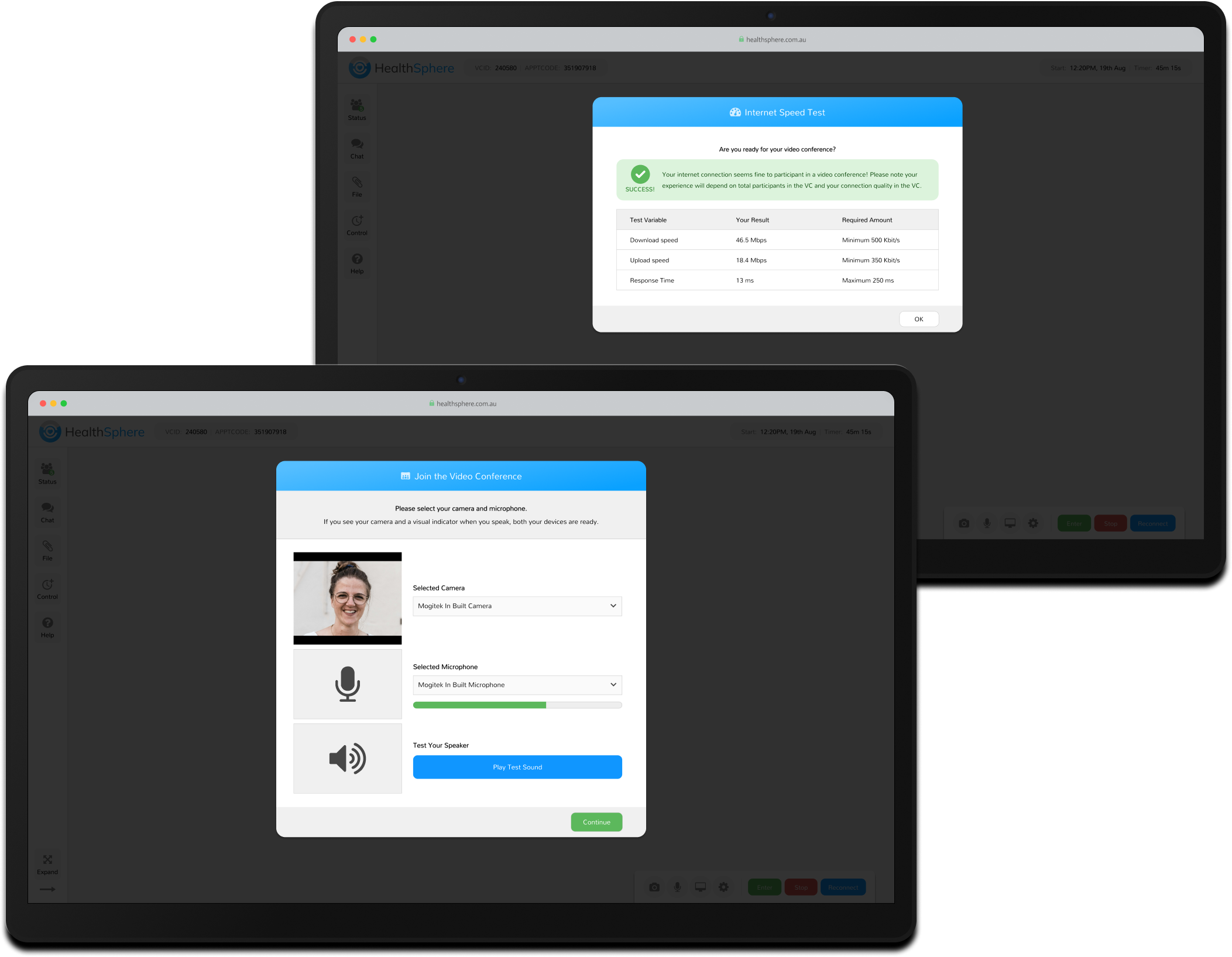
Custom-designed Speed Test and Quick Start Guides were integral to reducing technical barriers. These tools allowed patients and specialists to test their devices, internet connections, and setup ahead of time. By addressing potential issues before appointments, these features ensured sessions began promptly and with minimal disruption.
Flexible Access Options

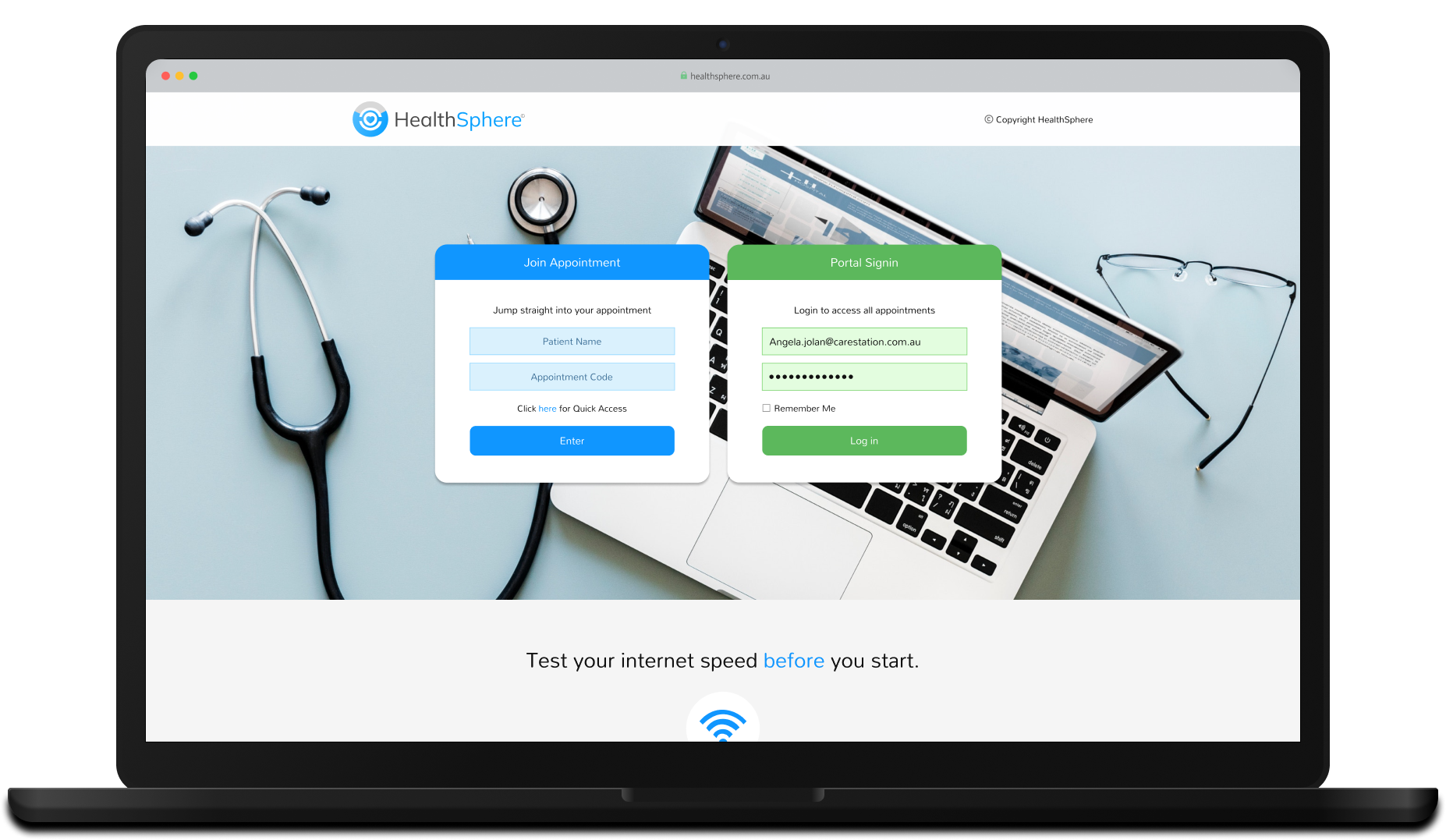
Participants could join appointments using various methods designed to accommodate diverse technical capabilities and workflows. Options included quick access codes and PINs, direct links via email, dial-in for audio-only participation, or from the Home page for registered users.

To safeguard patient privacy, anonymous joining was supported from the login page, allowing patients to enter their name and appointment code without storing personal information in the system.

Flexible Access Options

Participants could join appointments using various methods designed to accommodate diverse technical capabilities and workflows. Options included quick access codes and PINs, direct links via email, dial-in for audio-only participation, or from the Home page for registered users.

To safeguard patient privacy, anonymous joining was supported from the login page, allowing patients to enter their name and appointment code without storing personal information in the system.

Online Clinic Staff Key Features

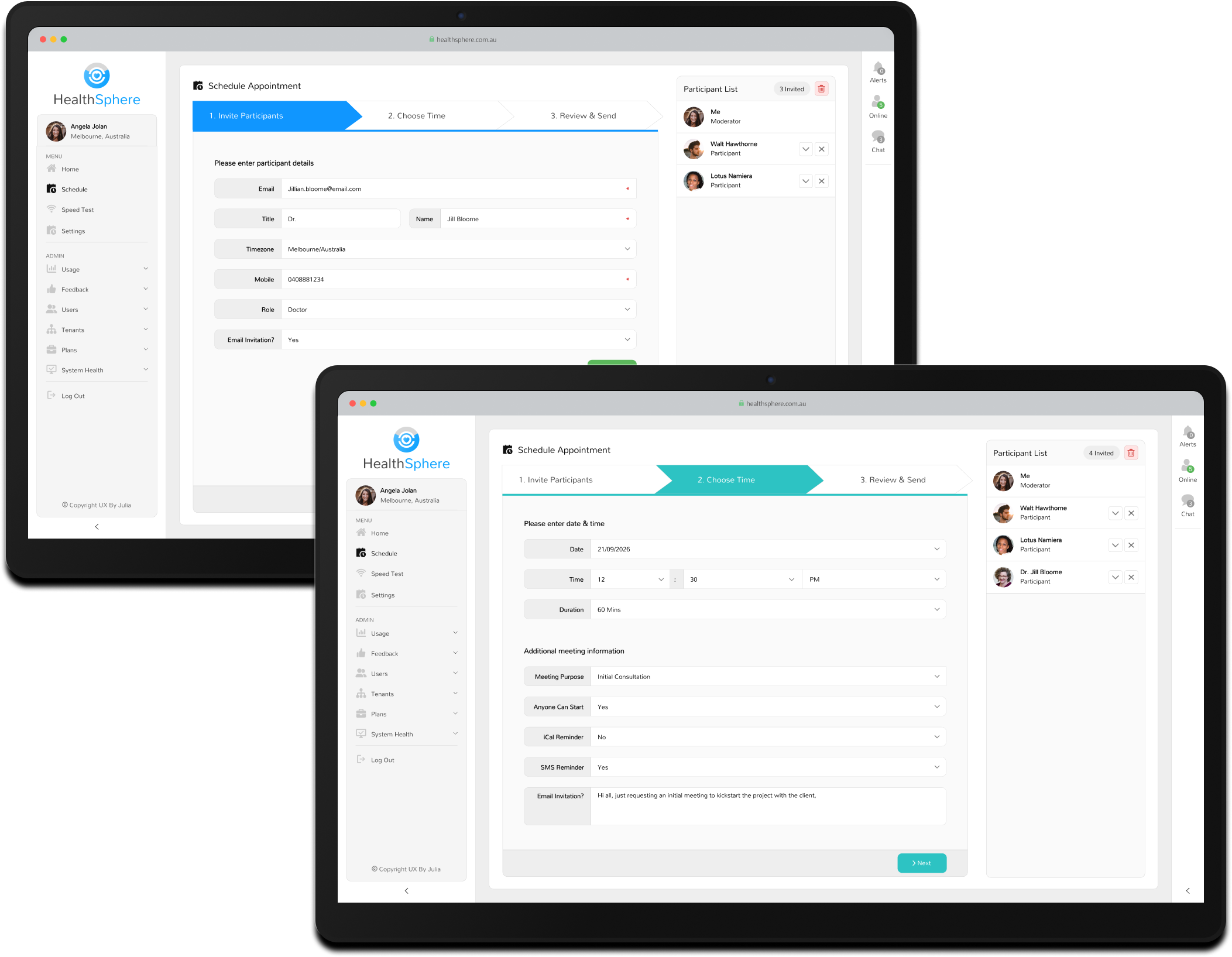
Appointment Scheduling

The scheduling function empowered clinic staff to create, update, and cancel appointments effortlessly. Staff could customise appointment details, add participants, and configure how invitations were sent, including email or SMS options. This flexibility ensured that scheduling workflows aligned with the operational needs of the clinic and supported seamless coordination between patients and specialists.

Appointment Scheduling

The scheduling function empowered clinic staff to create, update, and cancel appointments effortlessly. Staff could customise appointment details, add participants, and configure how invitations were sent, including email or SMS options. This flexibility ensured that scheduling workflows aligned with the operational needs of the clinic and supported seamless coordination between patients and specialists.

Appointment Feed

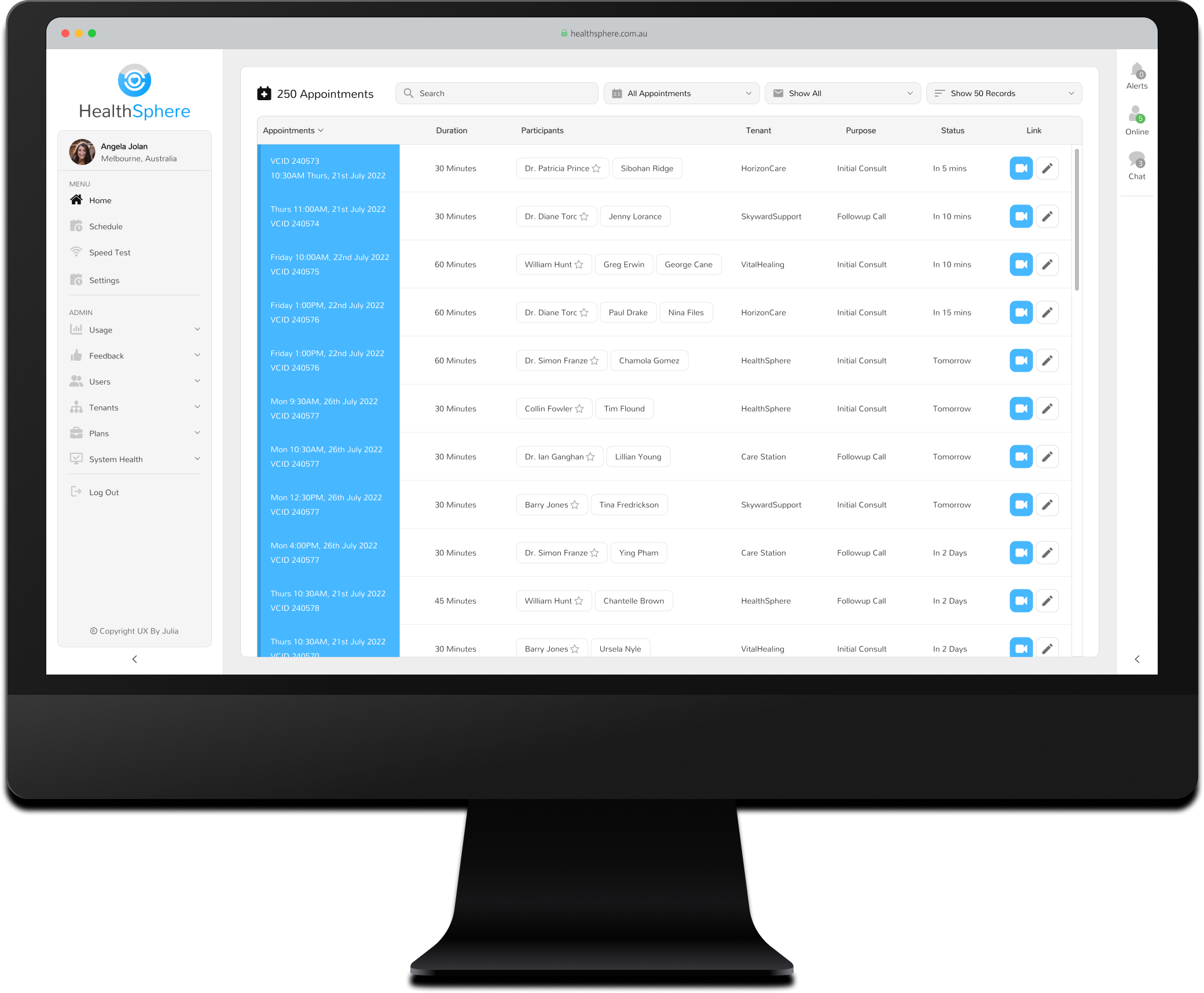
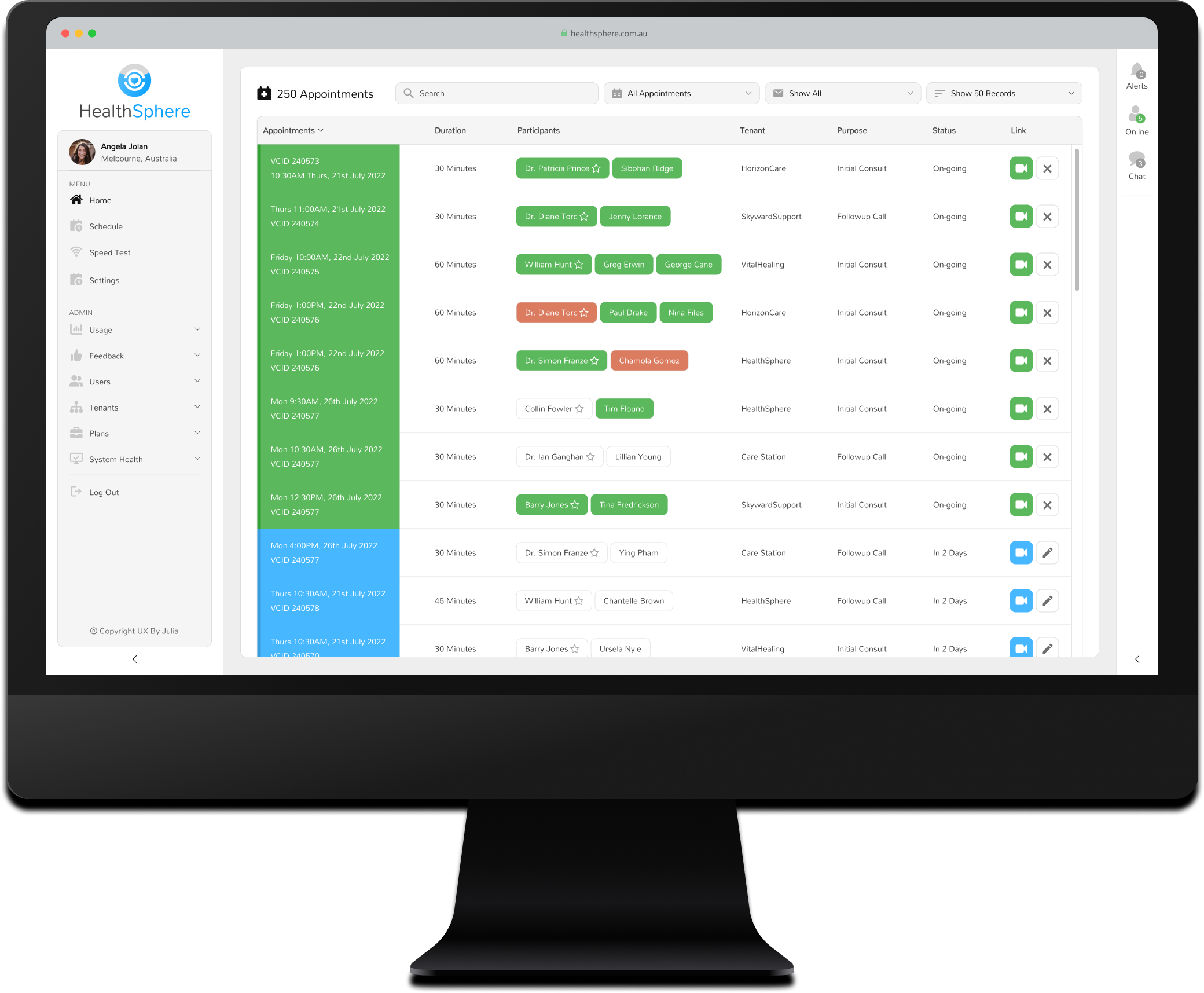
A centralized feed displayed all current and future appointments for the clinic or organization, providing staff with a comprehensive view of scheduling and activity. This feature streamlined day-to-day operations, helping teams stay organized and respond quickly to changes, cancellations, or urgent scheduling needs.
Real-Time Participant Monitoring

The platform's participant monitoring tools allowed clinic staff to track the status of appointments in real time. Staff could view whether participants were offline, in the waiting room, or actively in the video conference. This feature enabled proactive management of appointments, ensuring all participants were ready and addressing any delays or issues promptly.

Real-Time Participant Monitoring

The platform's participant monitoring tools allowed clinic staff to track the status of appointments in real time. Staff could view whether participants were offline, in the waiting room, or actively in the video conference. This feature enabled proactive management of appointments, ensuring all participants were ready and addressing any delays or issues promptly.

Organisation Administrators Key Features

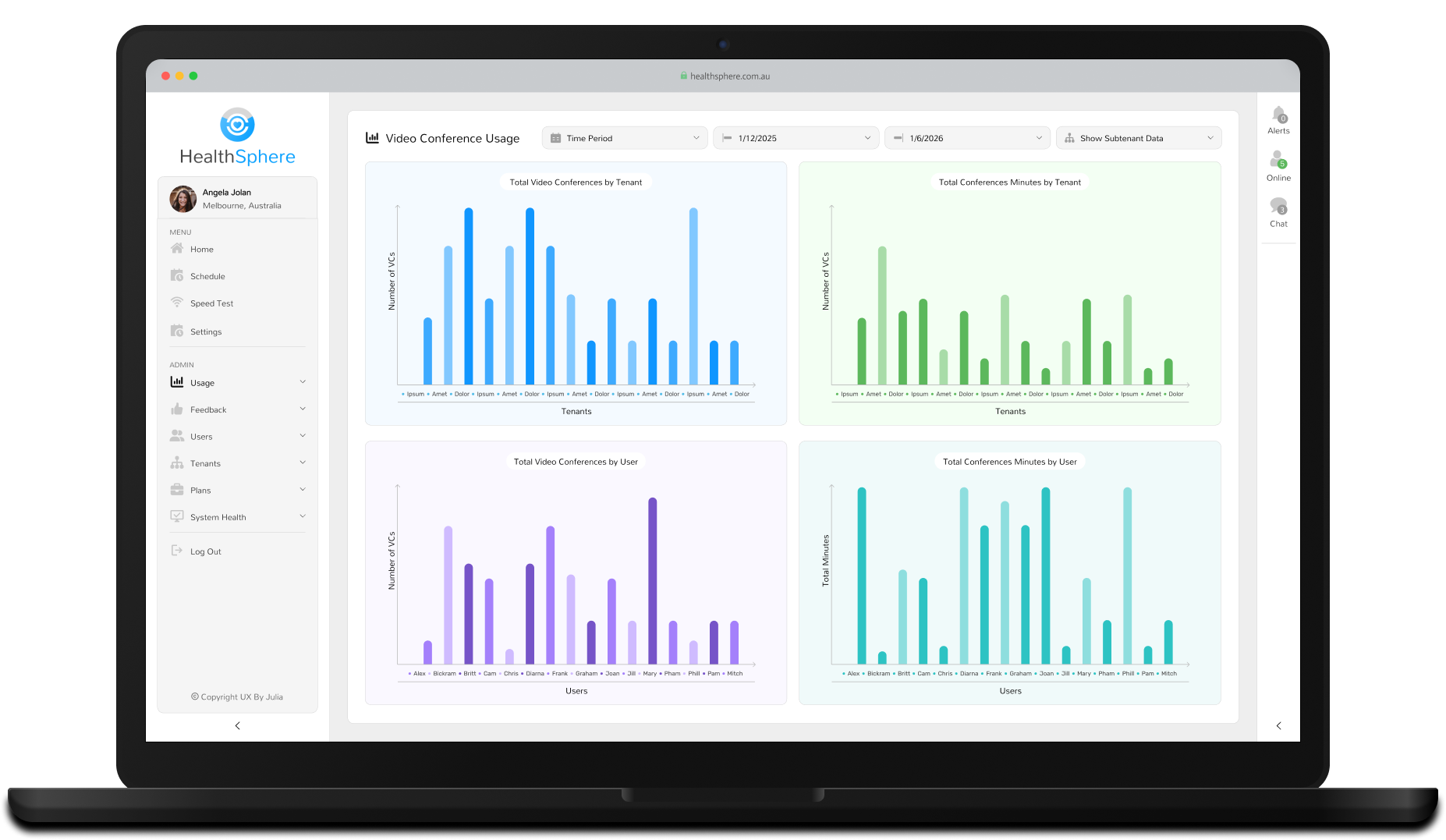
Reporting Tools

The platform provided a suite of reporting tools, offering insights into key metrics such as appointment volumes, port utilisation, feedback scores, and login activity. These analytics enabled administrators to monitor performance, identify bottlenecks, and make data-driven decisions to improve telehealth services.

Reporting Tools

The platform provided a suite of reporting tools, offering insights into key metrics such as appointment volumes, port utilisation, feedback scores, and login activity. These analytics enabled administrators to monitor performance, identify bottlenecks, and make data-driven decisions to improve telehealth services.

User & Tenant Management

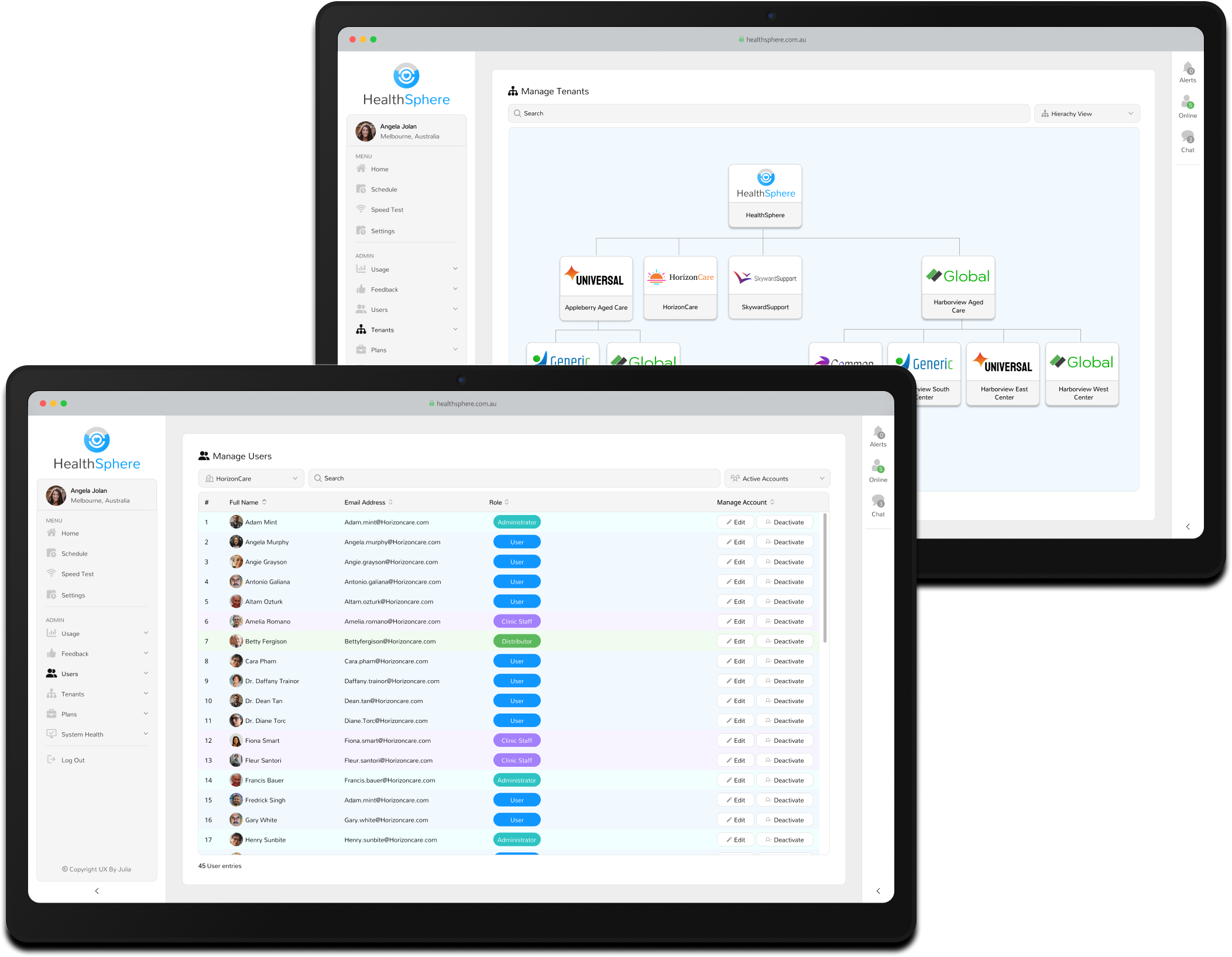
Administrators could efficiently manage user roles and permissions, ensuring individuals only accessed data relevant to their role to maintain compliance and data security.

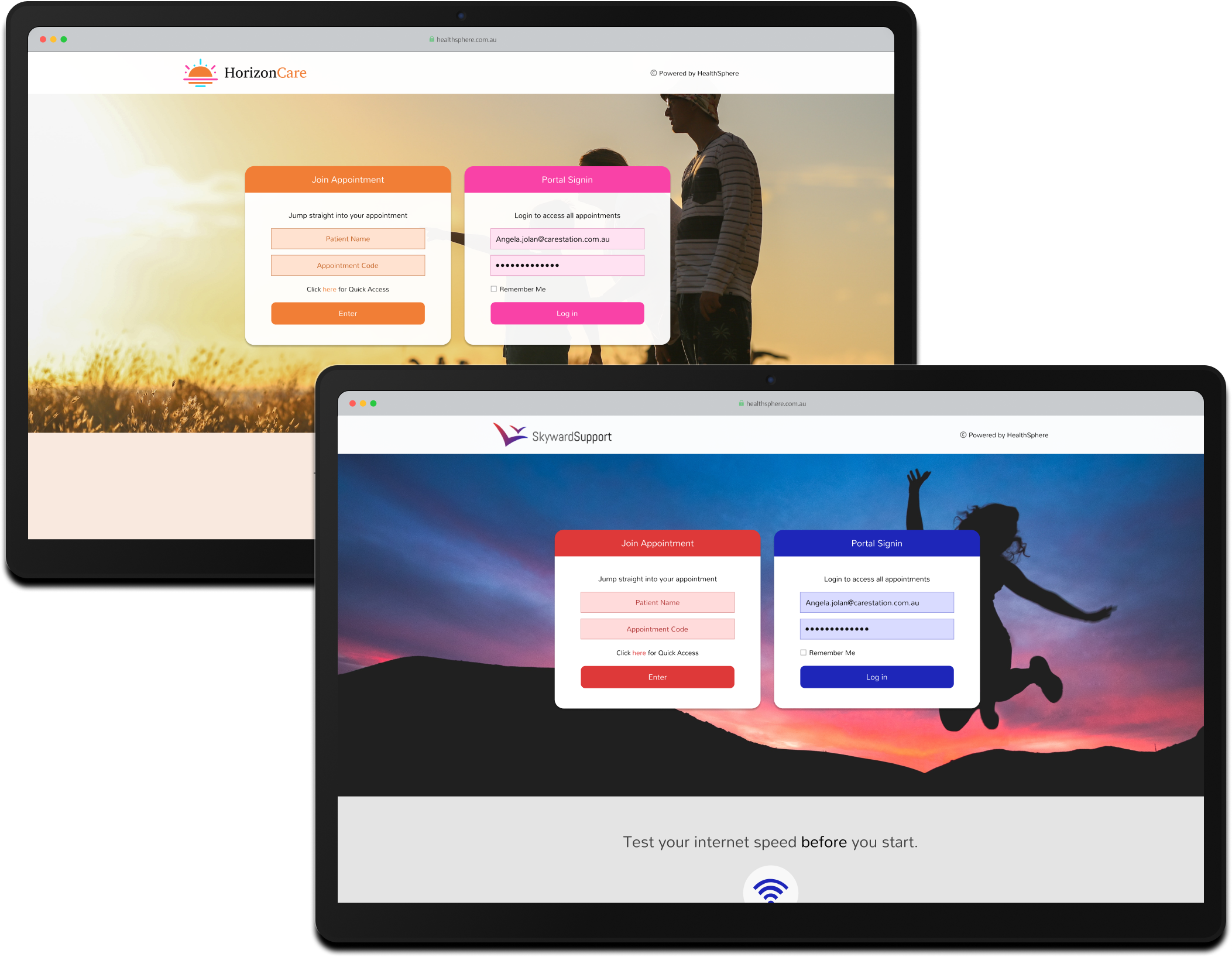
The platform also supported complex tenant hierarchies, allowing parent organisations to oversee and manage settings for multiple child tenants. Each tenant could fully customise their experience with bespoke workflows, features, branding, support contact details, email templates, and login pages.
Customizable Workflows & Branding

The platform offered extensive flexibility, allowing organisations to activate or deactivate features based on their specific workflows. This included scheduling options, advanced reporting capabilities, MCU configurations, participant roles, and toggling features like application chat or direct connect calling. Combined with white-labelling options, these settings ensured that the platform could evolve to meet each organization's operational and branding requirements.

Customizable Workflows & Branding

The platform offered extensive flexibility, allowing organisations to activate or deactivate features based on their specific workflows. This included scheduling options, advanced reporting capabilities, MCU configurations, participant roles, and toggling features like application chat or direct connect calling. Combined with white-labelling options, these settings ensured that the platform could evolve to meet each organization's operational and branding requirements.

Together, these features connected remote patients with specialist care — regardless of distance.

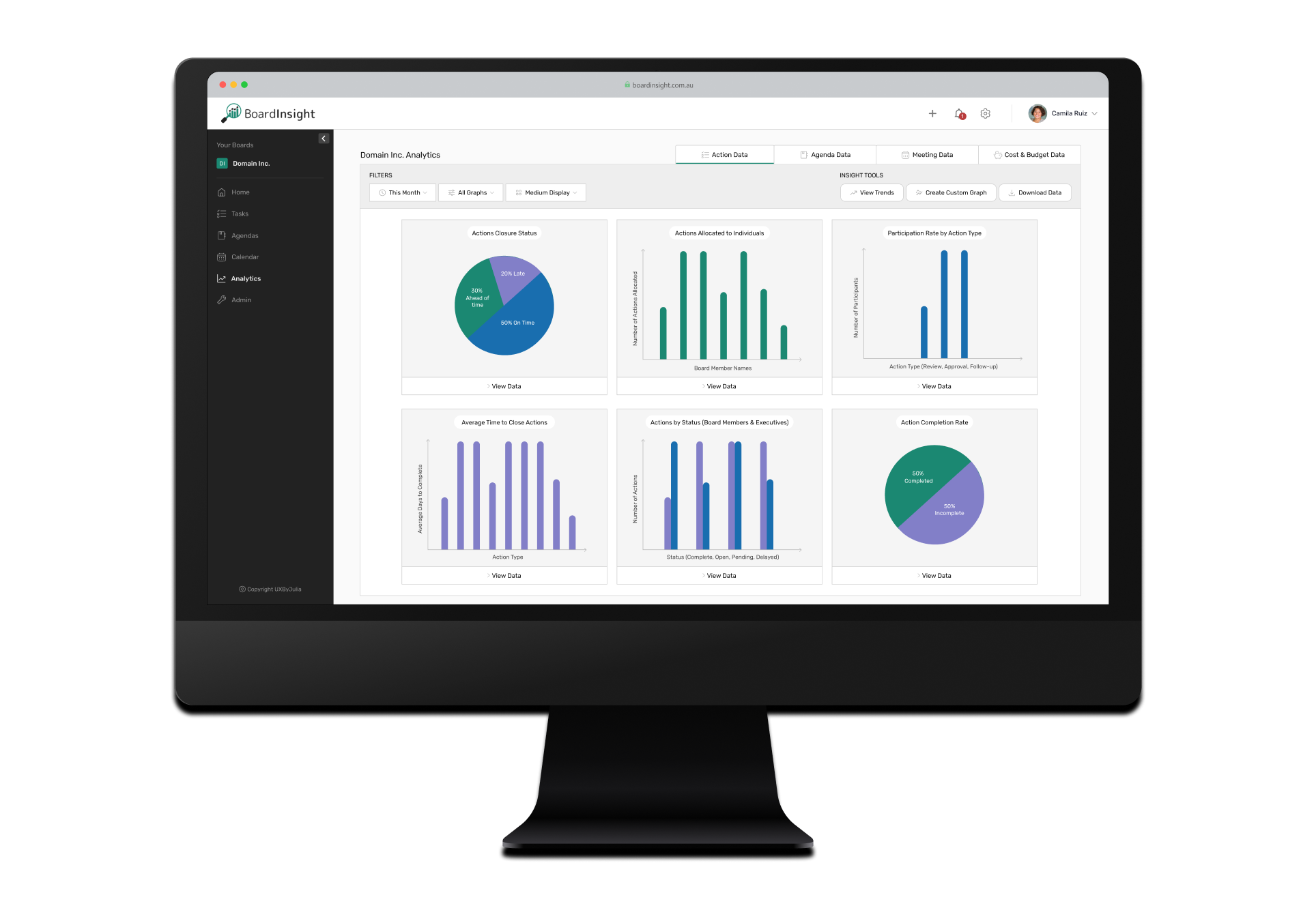
Next Project: BoardInsight Dashboard

BoardInsight Dashboard shown on screen
 View Project