KinTies
A holistic aged care solution designed to enhance resident well-being with family-curated media on personalized devices.
Read Case Study
A holistic aged care solution designed to enhance resident well-being with family-curated media on personalized devices.
The KinTies platform was designed to increase the well-being of elderly residents in aged care facilities. The platform allowed family members to share photos and videos, as well as curate movies and music for their loved ones. It was designed to accommodate both residents with dementia and those with normal cognition, ensuring accessibility for all users. My role was to redesign and enhance the platform to address existing usability challenges and deliver an efficient, scalable solution.

In aged care facilities, elderly residents often experience social isolation, which can lead to feelings of loneliness, depression, anxiety, and reduced overall well-being. Cognitive impairments, such as dementia, can exacerbate these challenges, making it difficult for residents to stay engaged. While the KinTies platform aimed to address these issues, its initial version fell short. Missing features and usability challenges prevented it from fully meeting the needs of residents and their families.
KinTies required a complete redesign to be ready for market. The platform needed cross-platform tools spanning admin, staff and family portals, alongside enhanced support for varying cognitive levels — ensuring residents living with or without dementia could engage comfortably and intuitively.


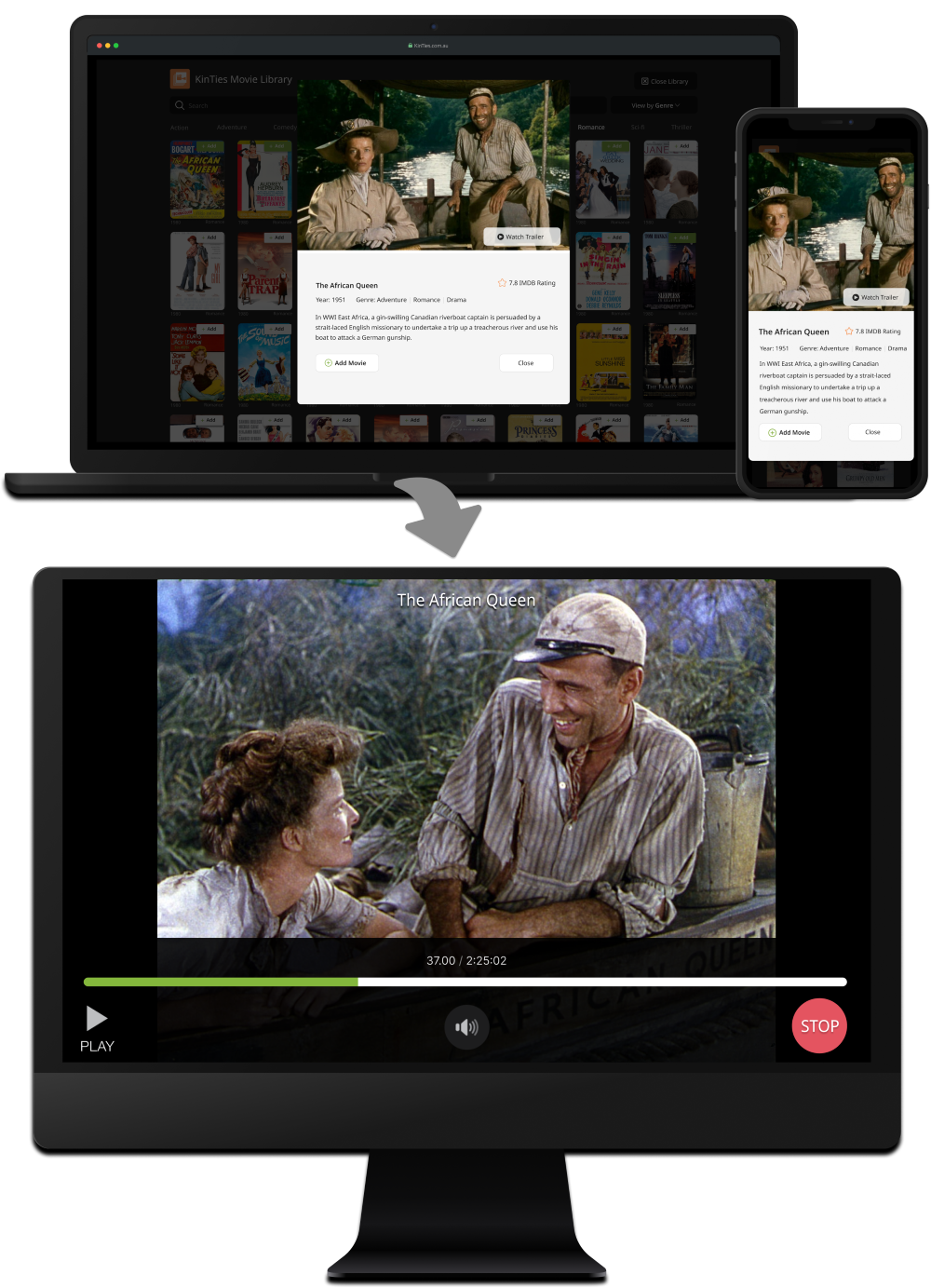
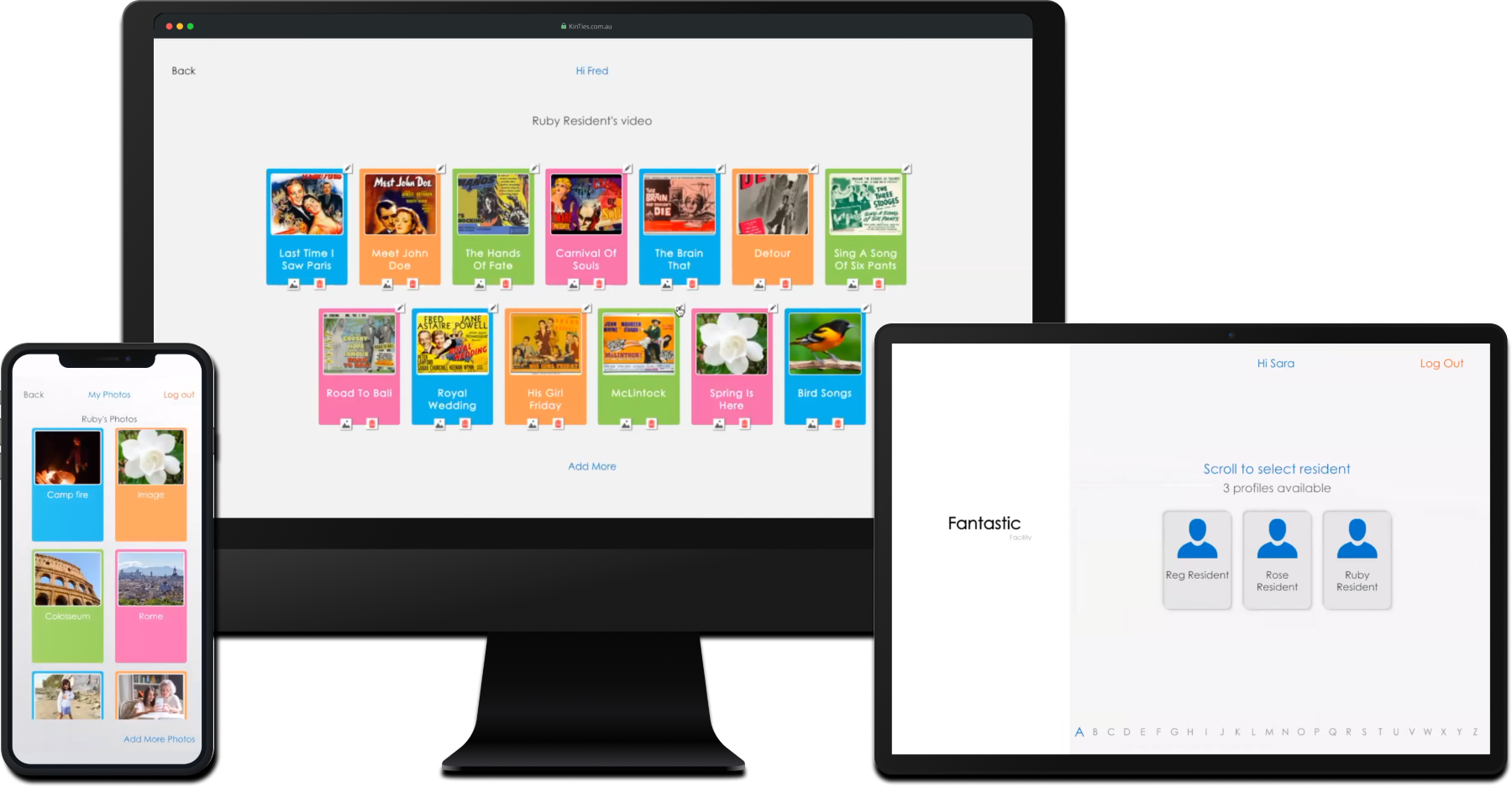
Family members can select movies from the KinTies movie library to add to their loved one's profile. A variety of filters, including decade, genre, rating, and preview options, help families find the most suitable content. These curated selections are then made available for loved ones to watch in cognition-friendly formats on their own devices, ensuring an enjoyable and accessible viewing experience.
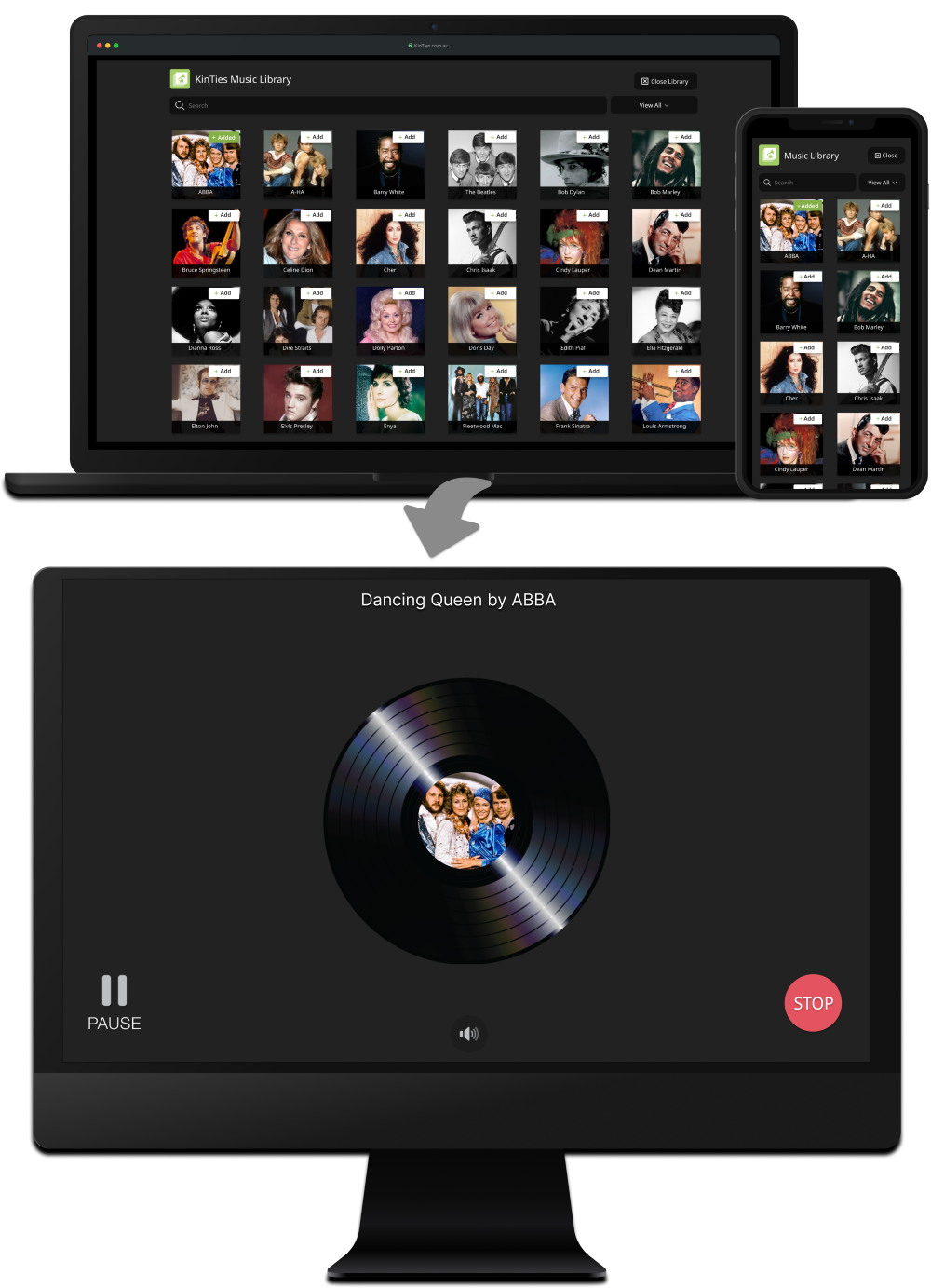
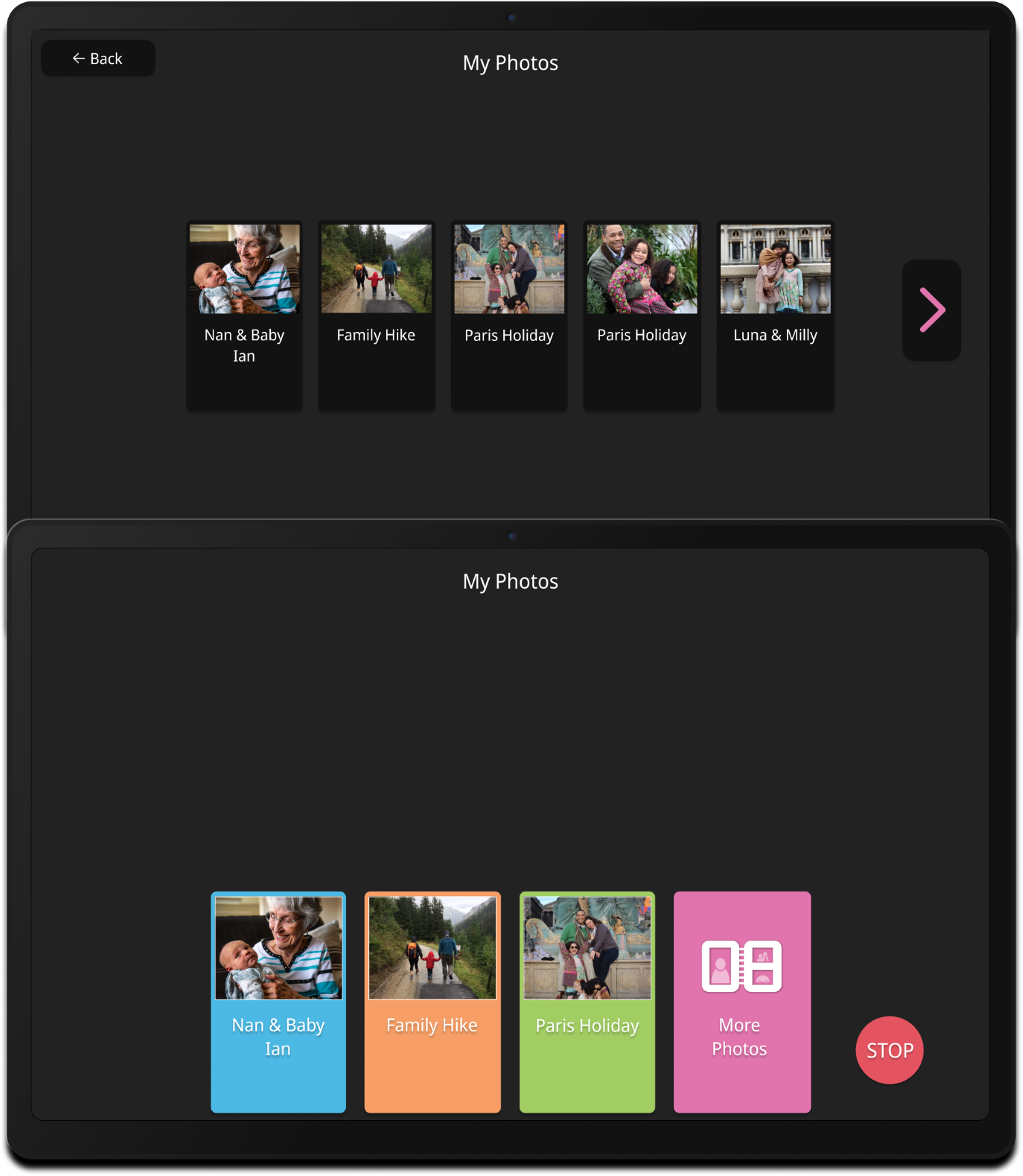
Family members can easily capture new photos on the go using their mobile devices or upload existing images through the KinTies web portal. Whether uploading from a PC or a mobile device, each photo can be given a personalized title to add context and meaning. The photos are then transformed into an engaging slideshow, complete with music, designed to provide residents with a comforting and enjoyable viewing experience.


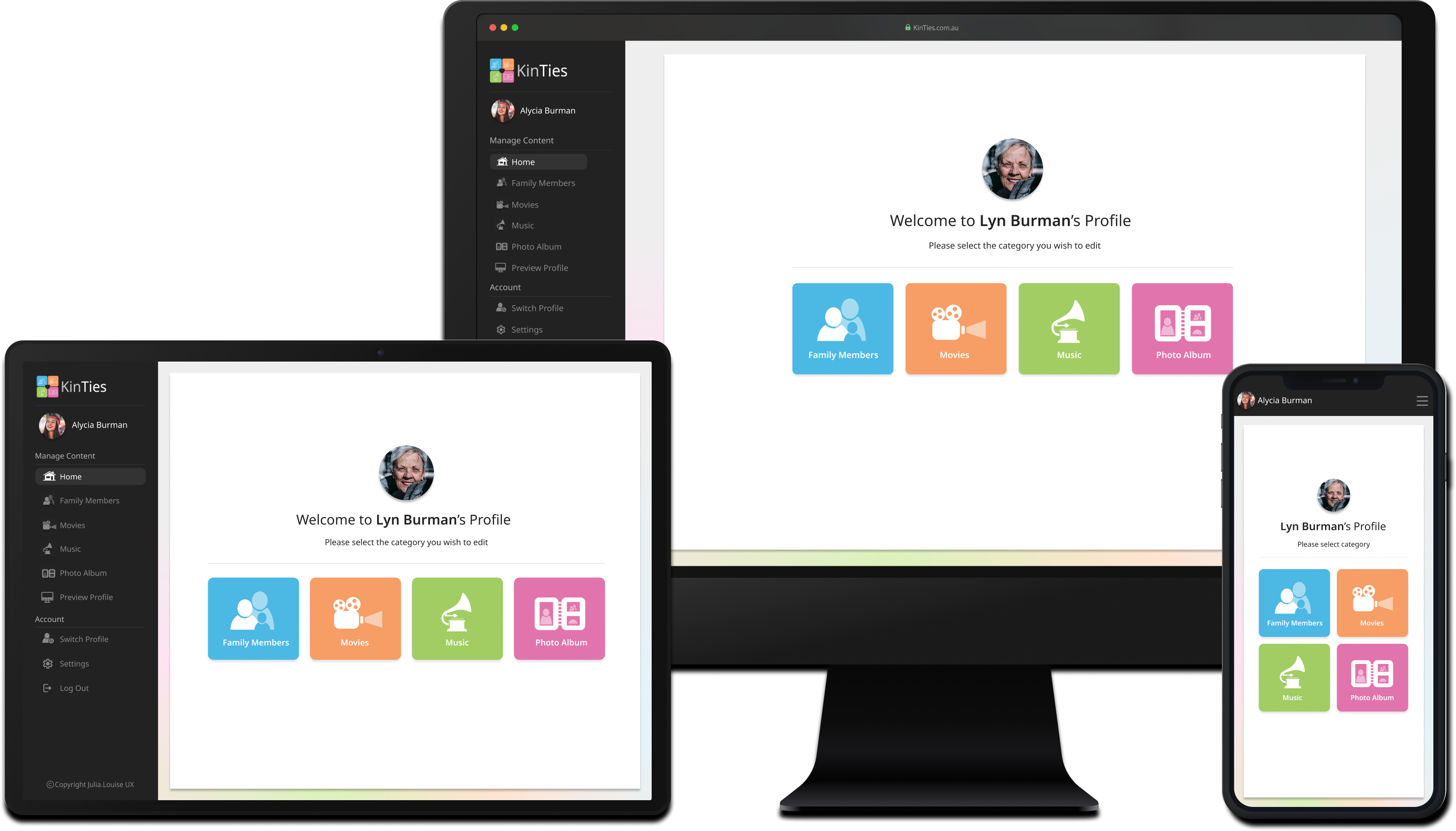
Administrators can manage residents under each facility within the KinTies administration system. The system allows family members to be mapped to respective residents and administrators to populate personal details and a profile image. A key feature is the ability to set and manage each resident's cognition level, which helps tailor the system's functionality to support individual needs.
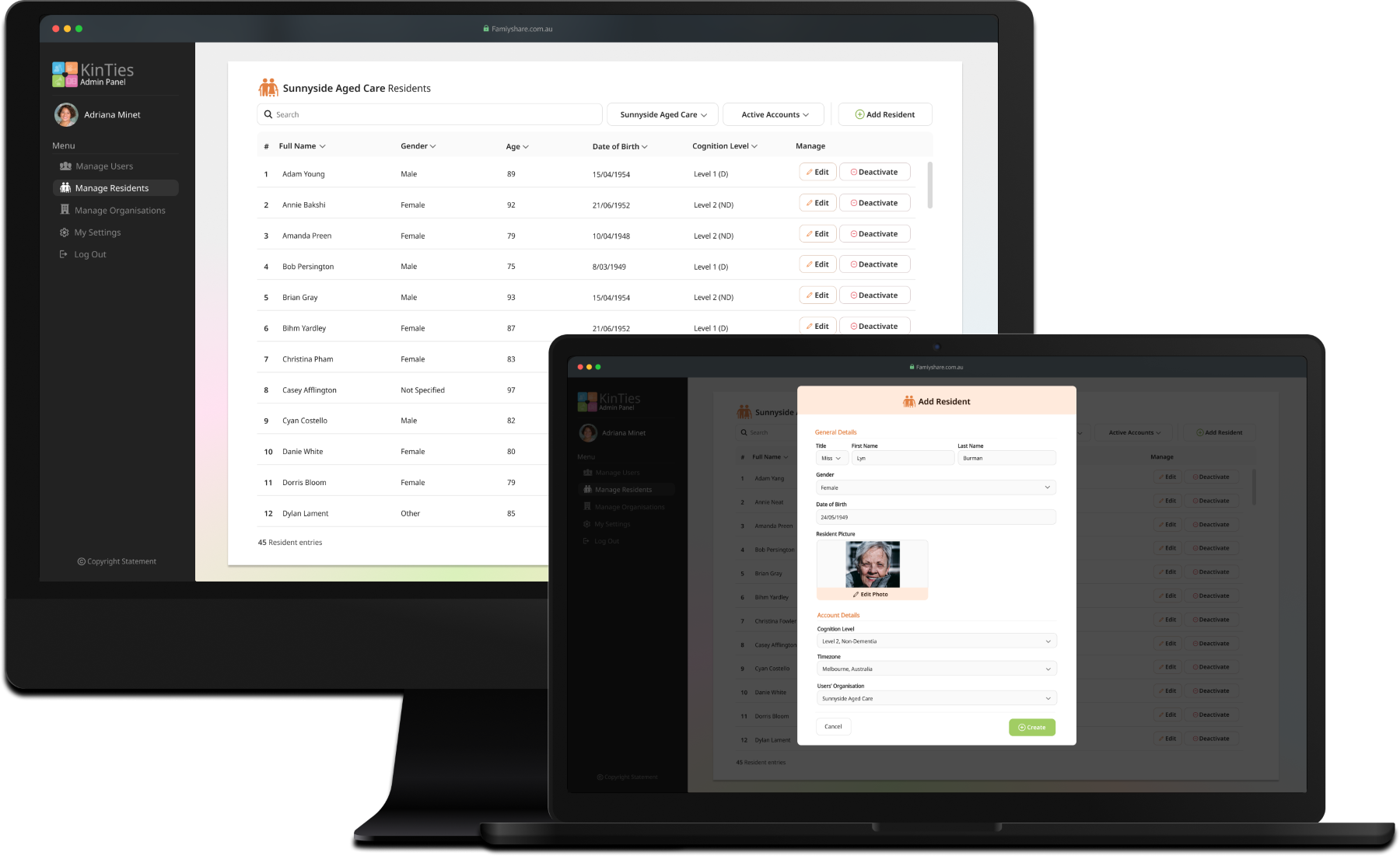
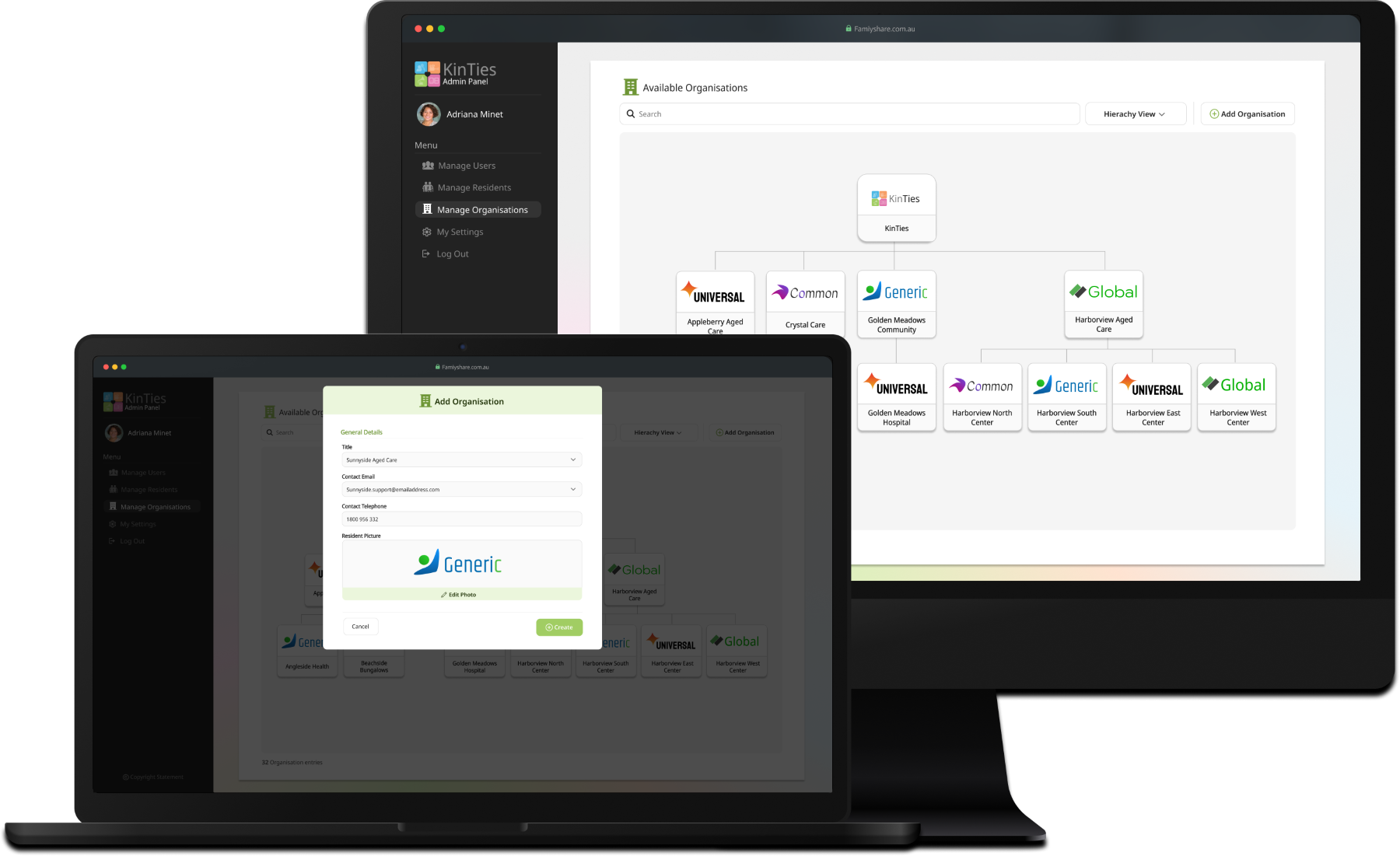
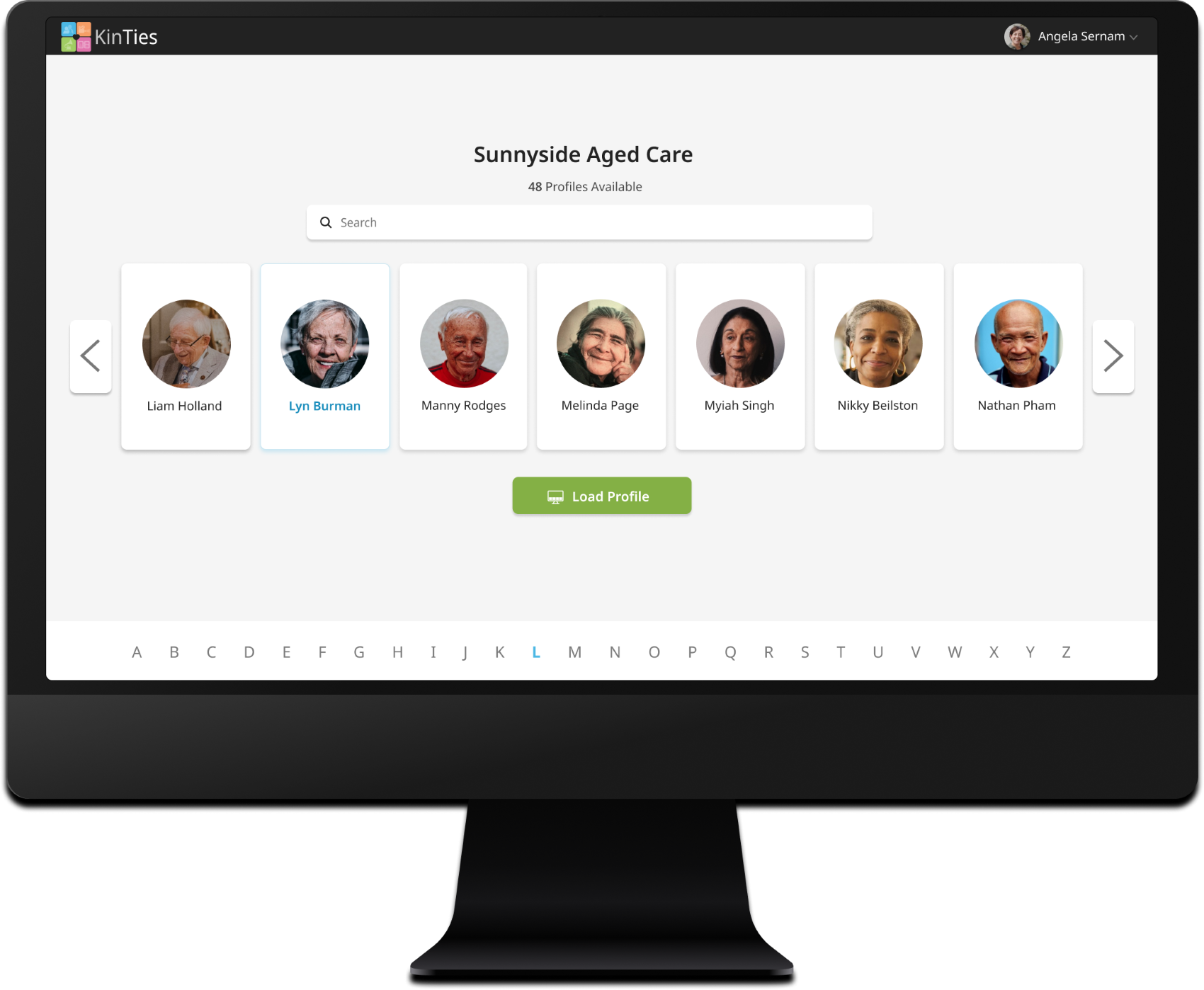
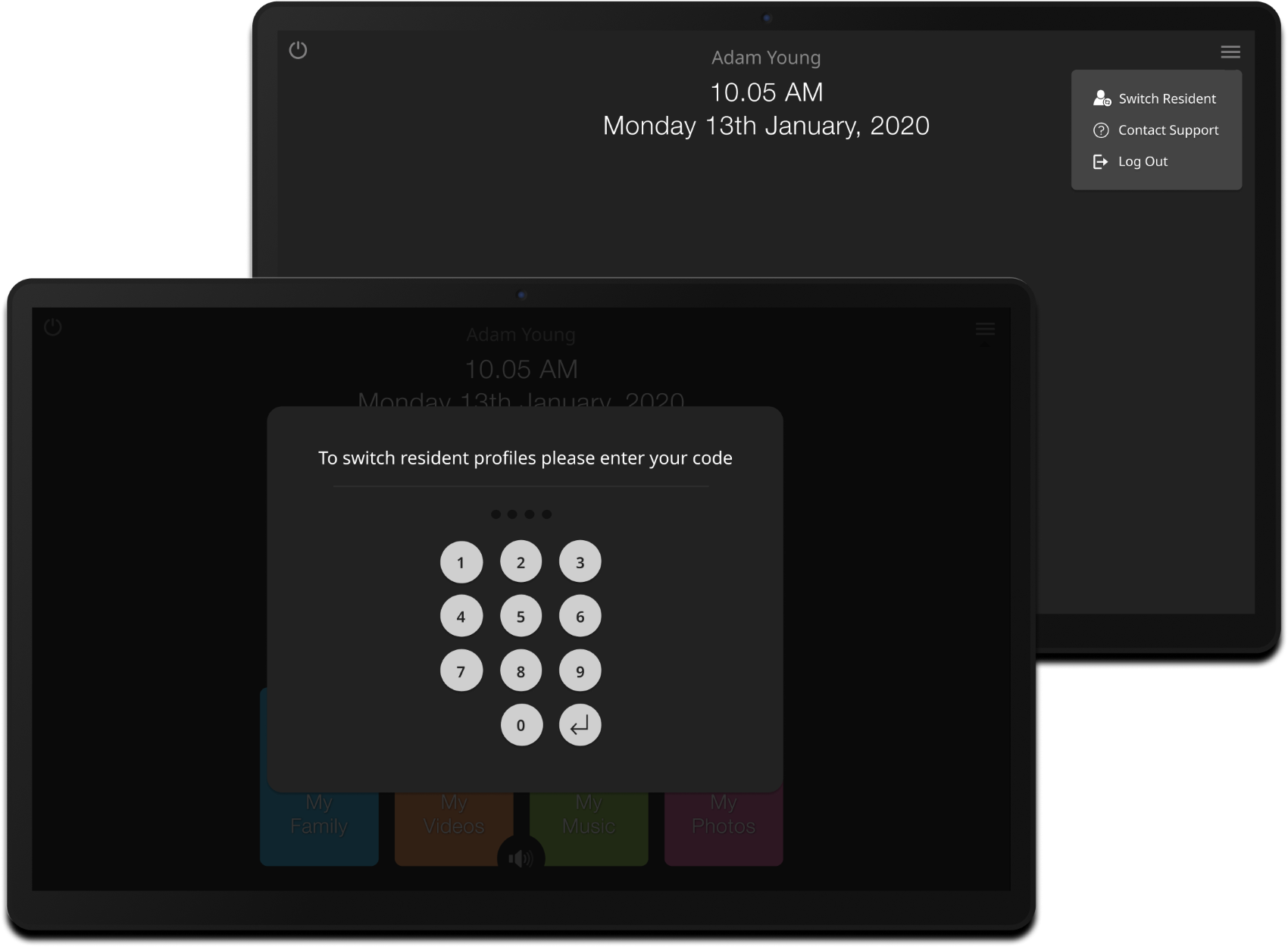
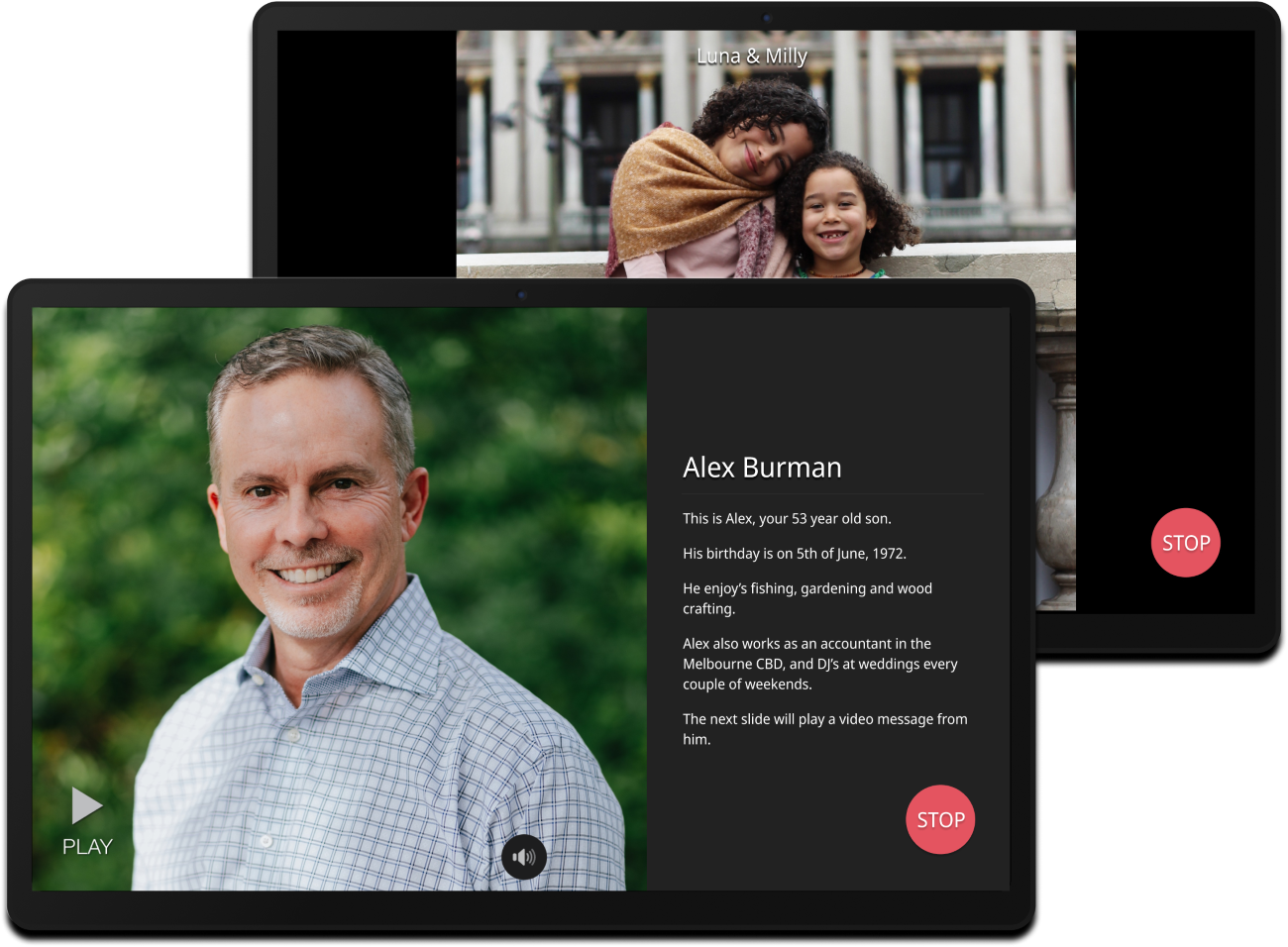
Residents can enjoy the "My Family" slideshow and "My Photo Album" features, which support reminiscence therapy for those living with dementia. By viewing familiar faces and cherished memories, residents can experience comfort and connection, helping to reduce anxiety and promote emotional well-being. Additionally, the slideshow encourages social interaction, allowing staff and family members to share stories and reminisce about the photos.
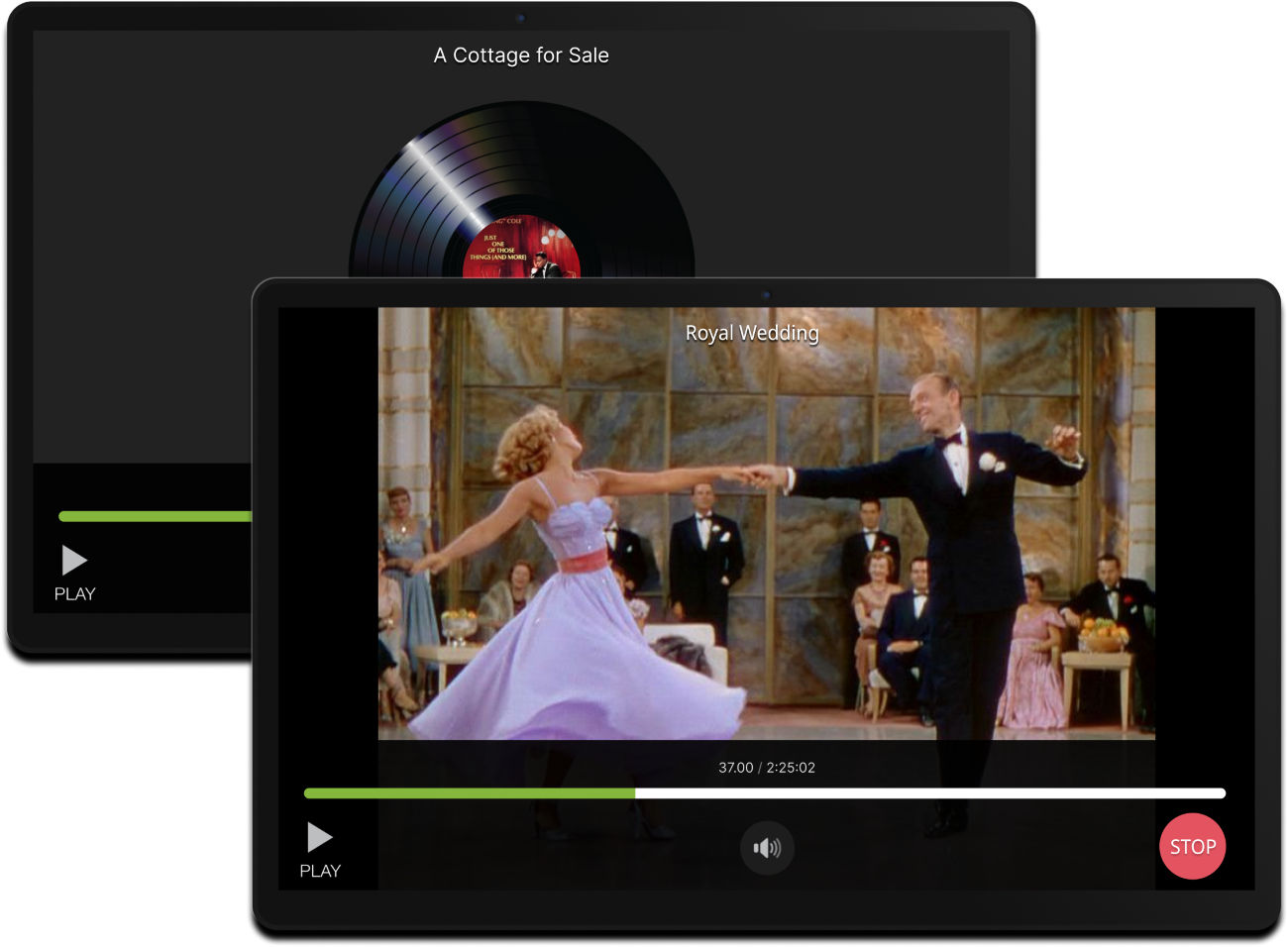
The app adapts to the individual cognition levels of residents by presenting tailored user interfaces. For those without dementia, a conventional layout features standard navigation and playback options, such as back buttons, arrows and media timeline controls. In contrast, residents living with dementia are presented with a specially designed interface developed by my co-designer, emphasizing bespoke colors, patterns, and icons grounded in research. These UI adjustments ensure that all residents can engage comfortably and effectively with their content.

The redesigned KinTies system demonstrated significant improvements in usability, accessibility, and functionality across all user groups. With streamlined workflows for families and staff, and expanded access for all aged care residents, the solution addressed key pain points identified in the initial version. The system achieved measurable gains, such as faster navigation and content management, while broadening its user base by 40% to include residents without dementia. These enhancements not only resolved the critical issues of the previous design but also established a robust, scalable platform for future development and iterations.

This project allowed the MVP of KinTies to be successfully taken to market, laying a solid foundation for future iterations and sprints. The final product was significantly more usable and stable than the initial version, which set the stage for ongoing improvements and enhancements.
This case study includes a full walkthrough of the research, design and prototyping process.
To assess KinTies' usability, I conducted a heuristic evaluation across the app, web app, and desktop versions. By testing key flows (e.g., logging in, resident playback, switching residents, adding/removing media), I identified strengths, constraints, usability issues, and feature gaps.
After the heuristic evaluation, I analyzed the findings to identify constraints, strengths, pain points, and a feature wish list. I shared these insights with the product manager, ensuring the proposed changes aligned with aged care stakeholder expectations.
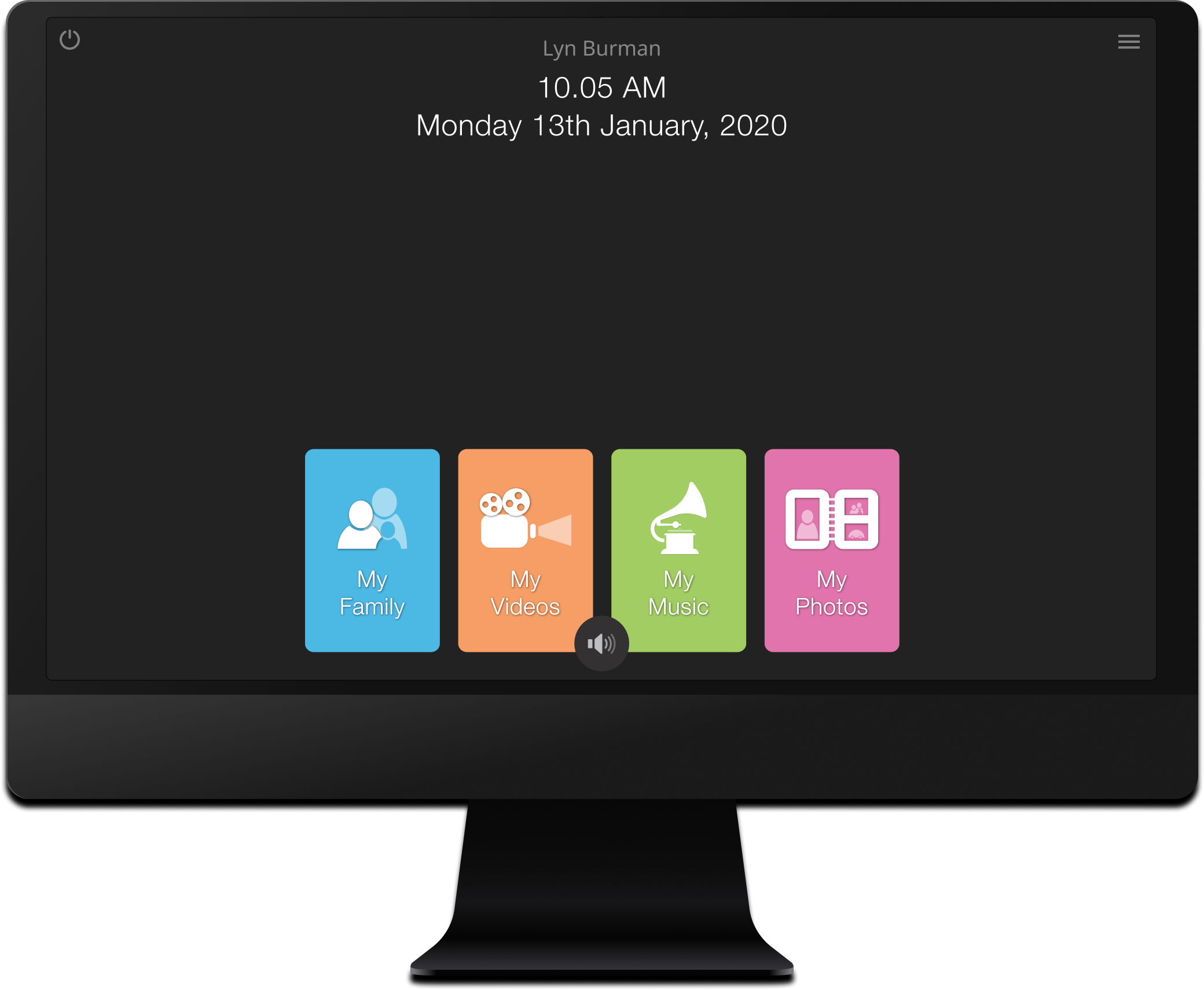
Please note the original design and workflows for the Home Page, Media Selection, Movie Player, Music Player, and Family Photos/Slideshow for residents living with dementia were created by another designer as part of their PhD research. These research-backed designs remained in place to ensure continuity for the specific needs of dementia residents, while I focused on enhancing other aspects of the platform based on user insights.


The KinTies solution supported four primary user groups - the residents, aged care staff, family members, and CollabCare administrators. Aged care staff and residents use the desktop interface, while family members upload content via the mobile app and web portal. To address their diverse experiences, I created user personas that highlight their characteristics, challenges, and goals, guiding the design process.


Before designing the KinTies system, I created storyboards to map key user interactions and ensure smooth functionality in real-world aged care settings. With multiple user groups and four platforms involved, it was crucial to understand how personas interacted and workflows were completed. The storyboarding process clarified these interactions and provided a shared understanding for the team, including developers and project managers.


The feature maps, developed with the product manager, prioritized user pain points, business goals and missing features identified from the heuristic evaluation. For the web and mobile apps, adding media content for family members was key, while the desktop app focused on playback for cognitive levels and profile control for residents and staff.


The site maps for KinTies established the hierarchical structure of each platform, representing the system components that different user groups would interact with. In areas where it made sense, functionality was shared to reduce development load. For example, the web portal for family members and admins shared a login page and by extension, the backend. One key constraint was the structure of the resident playback/preview, which had been shaped by another designer's PhD research. This predetermined structure influenced the design for the new Cognitive Level 2 (Non-Dementia Mode), as similar workflow patterns had to be respected.


The system flow diagrams for KinTies were a significant endeavor, requiring careful mapping of user interactions and the decision points for each platform. These flows were essential in ensuring that every action, from login to media playback, followed a clear and logical path. Each flow highlighted the specific journey for family members, residents, and staff, showcasing how their interactions would differ based on their roles and tasks within the system.


Next I created low-fidelity prototypes for the KinTies platform across mobile, tablet, web, and desktop, using the earlier site mapping and foundational diagrams as a guide. The accompanying wireflow diagram illustrates the system flow, mapping user interactions and navigation to show how tasks are completed across the platform's interfaces.


Prior to working on the high-fidelity wireframes, I assembled a UI kit with reusable components. This kit was key to achieving a cohesive, brand-consistent, and visually engaging design across the entire suite of cross-platform products within the KinTies solution.

I designed high-fidelity wireframes for the staff and resident desktop app, admin web portal, and mobile, tablet, and web interfaces for family members. Throughout the design process, I aimed to utilise the pastel colour palette effectively, creating an interface that felt welcoming and approachable rather than overly modern. My goal was to create an interface that felt welcoming and approachable rather than overly modern, ensuring users would find it comfortable and easy to navigate. Please note that I did not change the original design of the desktop app for residents with Cognition Level 1 (Dementia). I did however design a new interface for those with normal cognition levels. Below is the final wireframe set, showcasing the design of each page.


Before coding began, I held a design handover to walk the team through each system, providing wireframes, video prototypes, and design notes via our project management software. For the MVP, the focus was on resolving significant issues from the previous version, so the initial release received limited design feedback. Subsequent sprints allowed for greater collaboration and refinement of new features. Development started with the admin system to establish backend infrastructure for user profiles, followed by the family web portal and desktop app. I actively contributed to frontend development for the admin portal, family portal, and mobile app, ensuring a cohesive user experience across platforms.